App framework
One file per tool, one folder per View. React hooks for tool data, theme, display modes, state and host actions.
Open source · MIT · npm
The MCP App framework, MCP testing framework and local inspector in one package. Ship interactive apps to ChatGPT, Claude and every MCP Apps host, and test them in CI without host accounts, tunnels or AI credits.
Runs in ChatGPTClaudeVS CodeGooseand any MCP Apps host
Four tools that usually live in four repos.
One file per tool, one folder per View. React hooks for tool data, theme, display modes, state and host actions.
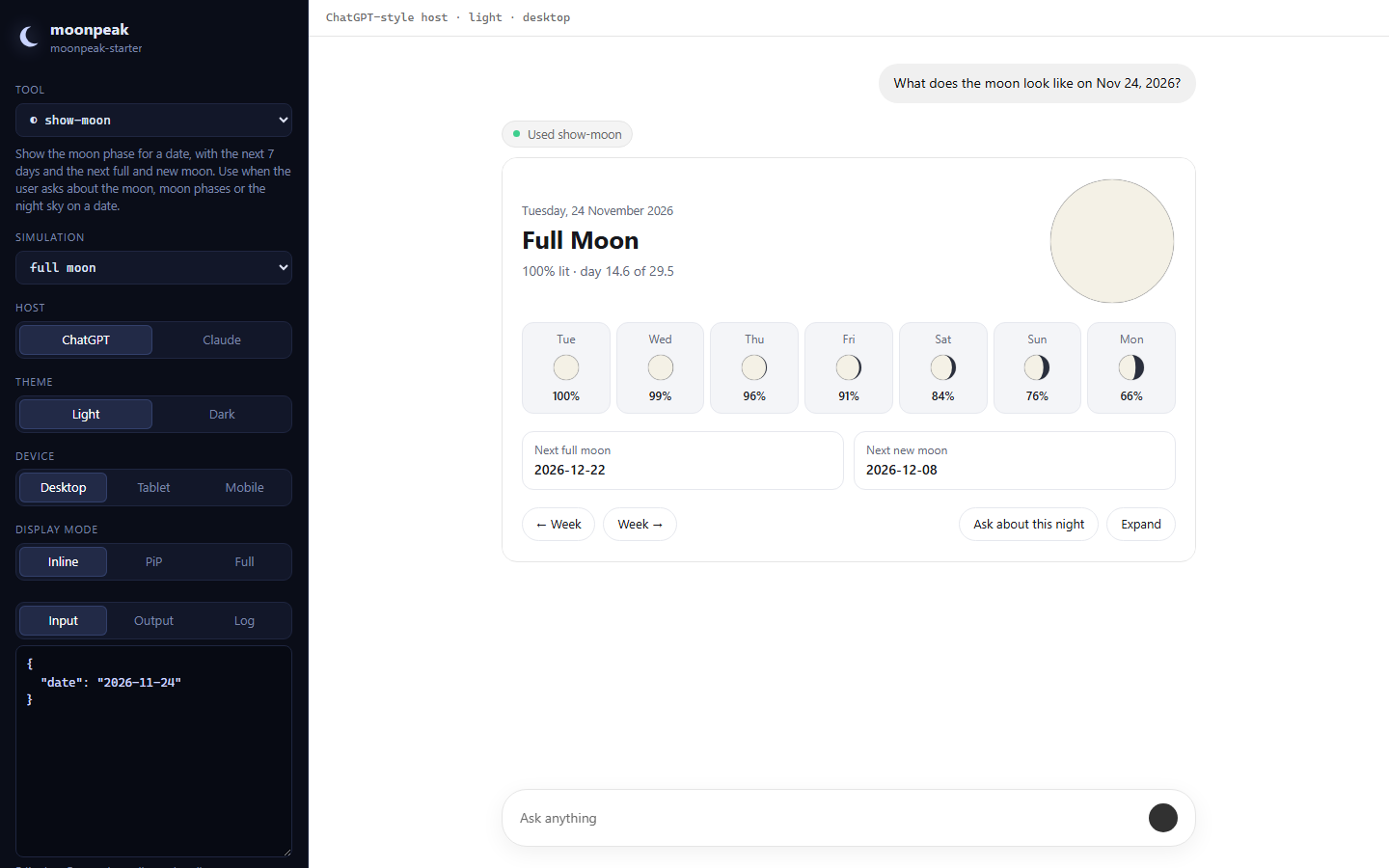
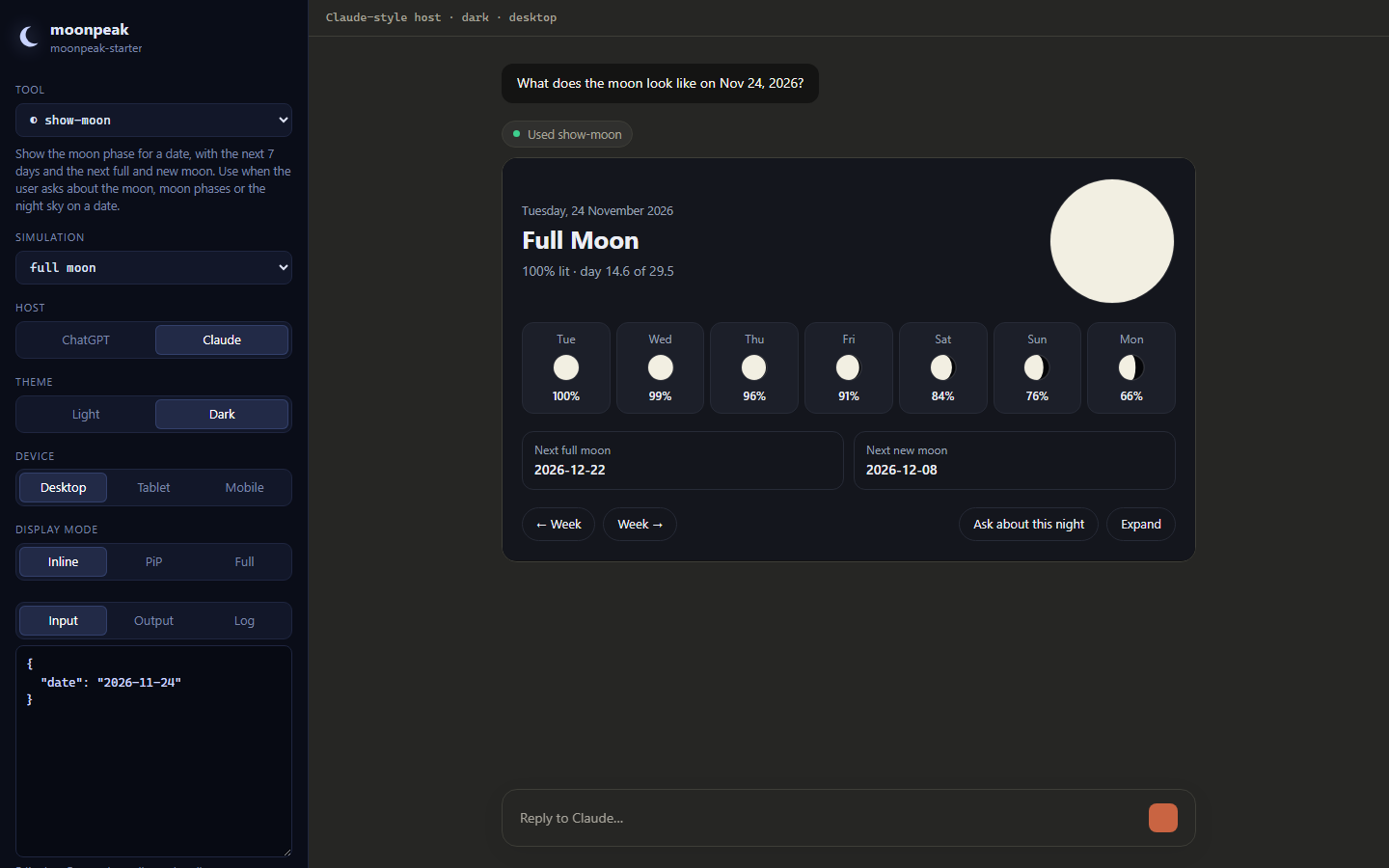
ChatGPT-style and Claude-style hosts on localhost. Switch theme, device and display mode. Edit tool data live.
Schema, View and simulation checks in about a second. Playwright fixtures for e2e. Multi-model tool-choice evals.
new, dev, build, start, inspect, test. Hot reload for both your Views and your server code.
MCP App framework · ChatGPT Apps · Claude connectors
moonpeak is built on the official MCP Apps SDK, so your Views speak the same protocol ChatGPT and Claude speak. No host-specific forks, no rewrites when a new client adds MCP Apps support.
moonpeak/chatgpt and moonpeak/claude, with safe fallbacks.my-app/ ├─ src/ │ ├─ tools/ │ │ └─ show-moon.ts # one MCP tool │ └─ resources/ │ └─ moon/ │ ├─ moon.tsx # its View │ └─ moon.css └─ tests/ ├─ simulations/ │ └─ show-moon.json # fixtures ├─ e2e/moon.spec.ts └─ evals/moon.eval.json
import { useToolData, useTheme, useCallTool } from "moonpeak";

export const resource = { title: "Moon phase" };

export default function Moon() {
  const { output, isPending } = useToolData();
  const theme = useTheme();
  const callTool = useCallTool();

  if (isPending) return <Skeleton />;
  return (
    <Card theme={theme}>
      <h1>{output.phase}</h1>
      <button onClick={() => callTool("show-moon", next)}>
        Next week
      </button>
    </Card>
  );
}
Everything a View needs, typed: the tool's input and output, theme, locale, safe areas, container size, display mode requests, per-View state that survives reloads, calling other tools, posting into the chat and updating model context.
See every hook →MCP testing framework
Simulations are JSON fixtures: tool input, optional mocked output, expectations and host settings. moonpeak test runs them in-process against your real handlers, checks every tool schema and builds every View to make sure it renders.
Need more? --e2e drives the inspector with Playwright, --eval asks real models whether they pick the right tool, and --server points all of it at any MCP server, in any language.
$ moonpeak test

  moonpeak test starter

  ✓ schema     moon-facts
  ✓ schema     show-moon
  ✓ view       ui://starter/moon.html
  ✓ sim        show-moon#full-moon
  ✓ sim        show-moon#new-moon-dark-mode
  ✓ sim        show-moon#bad-date-is-a-tool-error

  all passed · 8 checks · 0.3s

$ moonpeak test --e2e
  5 passed (8.3s)
Inspector
Flip host, theme, device and display mode while your View hot-reloads. Every setting lives in the URL, so a bug report is a link.
moonpeak devfor your project
moonpeak inspect --server http://localhost:8000/mcpfor any MCP server
| Product | moonpeak |
|---|---|
| Category | MCP App framework, MCP testing framework, MCP inspector |
| License | MIT |
| Package | moonpeak on npm |
| Built on | MCP Apps SDK, MCP TypeScript SDK v2, React, Vite |
An MCP tool that comes with a UI. The tool declares a ui:// resource, the host fetches that HTML and renders it in a sandboxed frame next to the conversation, and the two talk over a small postMessage protocol. ChatGPT, Claude, VS Code and Goose all support it.
No. The inspector replicates both hosts locally, including theme, display modes and the bridge calls a View can make. You only need a host account when you want to try the deployed app there.
Yes. moonpeak inspect --server and moonpeak test --server work with any MCP server over Streamable HTTP, written in any language.
Yes. Resources carry both the MCP Apps metadata and the older openai/* keys, and moonpeak/chatgpt exposes widget state, file upload and modals when your View runs inside ChatGPT.
Provider keys (ANTHROPIC_API_KEY, OPENAI_API_KEY) and the matching SDK in your project. Everything else runs offline.
moonpeak build then moonpeak start, or import createHandler from moonpeak/server and mount it on any runtime that speaks Fetch.
Yes. MIT licensed, no account, no telemetry.
npx moonpeak new